InternetsLIVE H2.0 Vibrant Subnautica Shader Installer
Luitjens Join Date: 2010-07-26 Member: 73034Members, NS2 Playtester, Squad Five Blue, Reinforced - Shadow, Subnautica Playtester
Greetings Subnauticans!
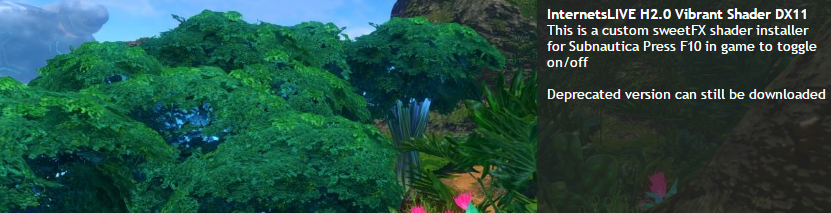
I have created an installer package for a Vibrant Subnautica. This will make the game more vibrant and less washed out
**Experience for DX11 ONLY.**
Comparison Images
[list]
[*] Visit http://imgur.com/a/4MXsa or http://www.nexusmods.com/subnautica/mods/1
[/list]
How To Install?
[list]
1. Download and run the setup file from
http://www.nexusmods.com/subnautica/mods/1
2. Read Instructions (Install to \steam directory\Subnautica)
[/list]
In game Use
[list]Toggle F10 to turn off/on[/list]
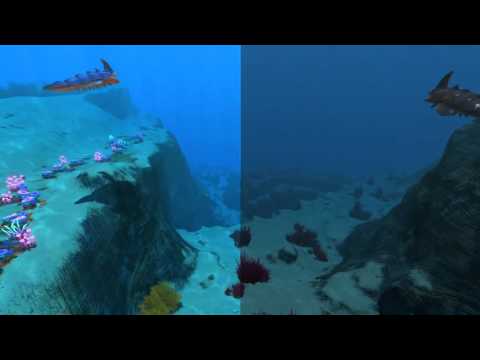
Split vid comparison ON/OFF
Troubleshooting
Q: My game don't work!
A: Remove any launch-options such as -force-opengl and make sure you running the latest version of Subnautica.
Q: I launched it, but it doesn't look like its working!
A: Make sure you have installed it to the Subnautica steam directory (Generally here, (C:\ProgramFiles(x86)\Steam)
A2: Test F10 in-game toggle off and on (uses VK-F10, can be changed in sweetfx\global_settings.txt)
Comments
- Hyp3rion
Thanks for the feedback!
does this get rid of the awkward and fake as hell brightness transition from outside to caves as well?
I would just delete the folder you installed it in then verify the game cache through Steam before launching.
>People are already modding the game with 0 mod tools
this is the future
I've used sweetfx before. All you do is what 04Leonhardt said. Delete all sweetfx files and folders in your Subnautica folder and everything should return to normal.
Now it's ALIVE again.......
Thar be strannnge goings on down in these oceans, ye mark my words.
No, those are hard-coded 'things', shaders such has sweetFX is basically a wrapper on top, or basically an instagram filter on a picture
I'm using experimental so I get updates everyday, but I have yet to have any problems with my sweetfx. It seems to persist through every update.
Here are some images : http://imgur.com/a/DxeLd
No more 12 step program
ENJOY
EDIT: Oh i double posted woops
Check here! http://www.nexusmods.com/subnautica/mods/1/
To be fair, he had a question relevant to the purpose of the thread (SweetFX). Curious to know if there's a new versio of this.